See your beat

Beat Studio

Windows | Mac

"Beat Studio is intelligent E-drum app that analyzes your playing in real-time, provides instant feedback on timing and velocity, and helps you master any rhythm with professional-grade samples and custom pattern creation."

Train Like a Pro

Live feedback

Transform your practice sessions with intelligent beat training that adapts to your skill level. Beat Studio listens to every hit, analyzes your timing, and guides you toward rhythmic perfection.Experience ultra low-latency (close to 1 ms) audio that responds instantly to your playing. Whether you're laying down a tight kick pattern or crafting intricate hi-hat work, Beat Studio keeps you locked in the pocket with studio-quality samples that breathe and resonate naturally.

Your beats

Custom Patterns

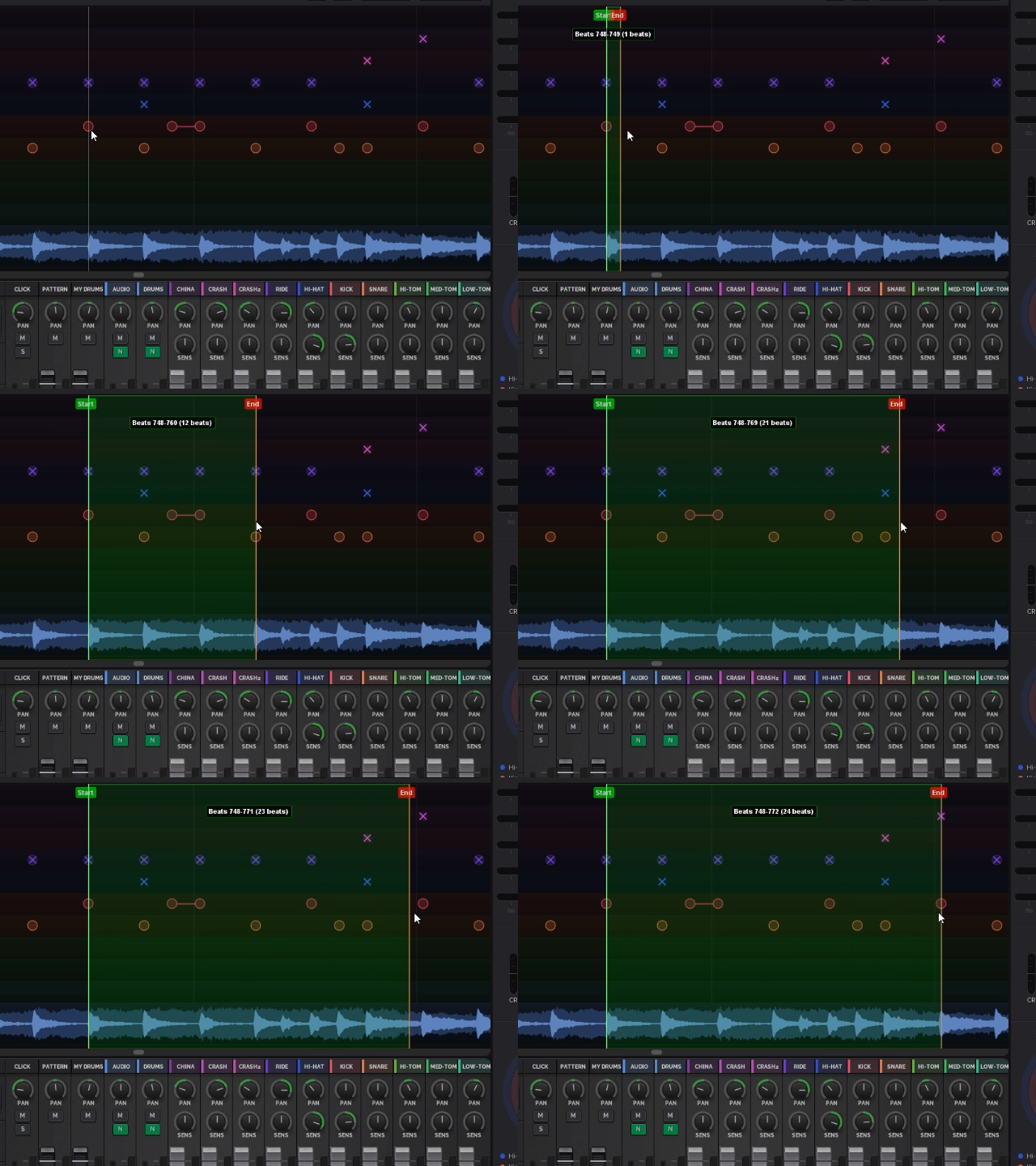
Beat Studio's intuitive pattern editor supports 11 drum tracks with volume levels 1-9, letting you create everything from simple beats to complex patterns or songs. You can manually place hits with precision or turn off snap-to-grid and record your patterns exactly as you play them.Import standard MIDI files to learn and practice your favorite songs. Load MP3 backing tracks to play along with full songs — practice your parts in context, right alongside the music.

Live video

Mix It Your Way

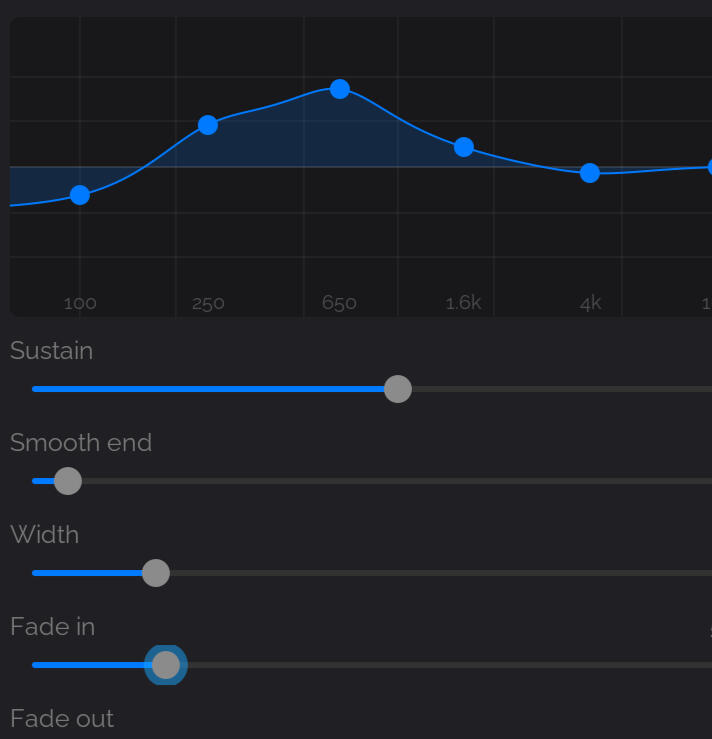
Shape your drum voice with professional reverb and effects. Pan each element across the stereo field. Adjust velocity sensitivity until every ghost note whispers just right and every accent punches through the mix.Fine-tune these settings independently for each drum pad — kick, snare, toms, hi-hat, cymbals, metronome click, and more — giving you complete per-channel control over your sound.

Control everything with a built-in mixer

Professional Sound

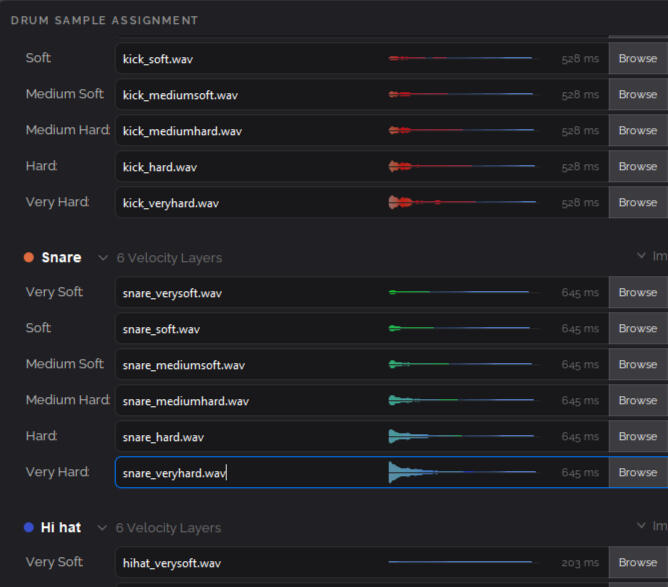
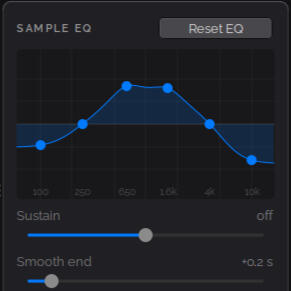
Start with our carefully selected professional-grade drum kit featuring multi-velocity samples that respond naturally to your playing dynamics. Every hit triggers the perfect sample with up to 20 seconds of natural decay and room ambience.Want your signature sound? Import any samples you want to create completely custom kits that define your unique voice. Up to 6 velocity-layered samples per pad.

Build your own kit with custom samples

Universal MIDI Compatibility

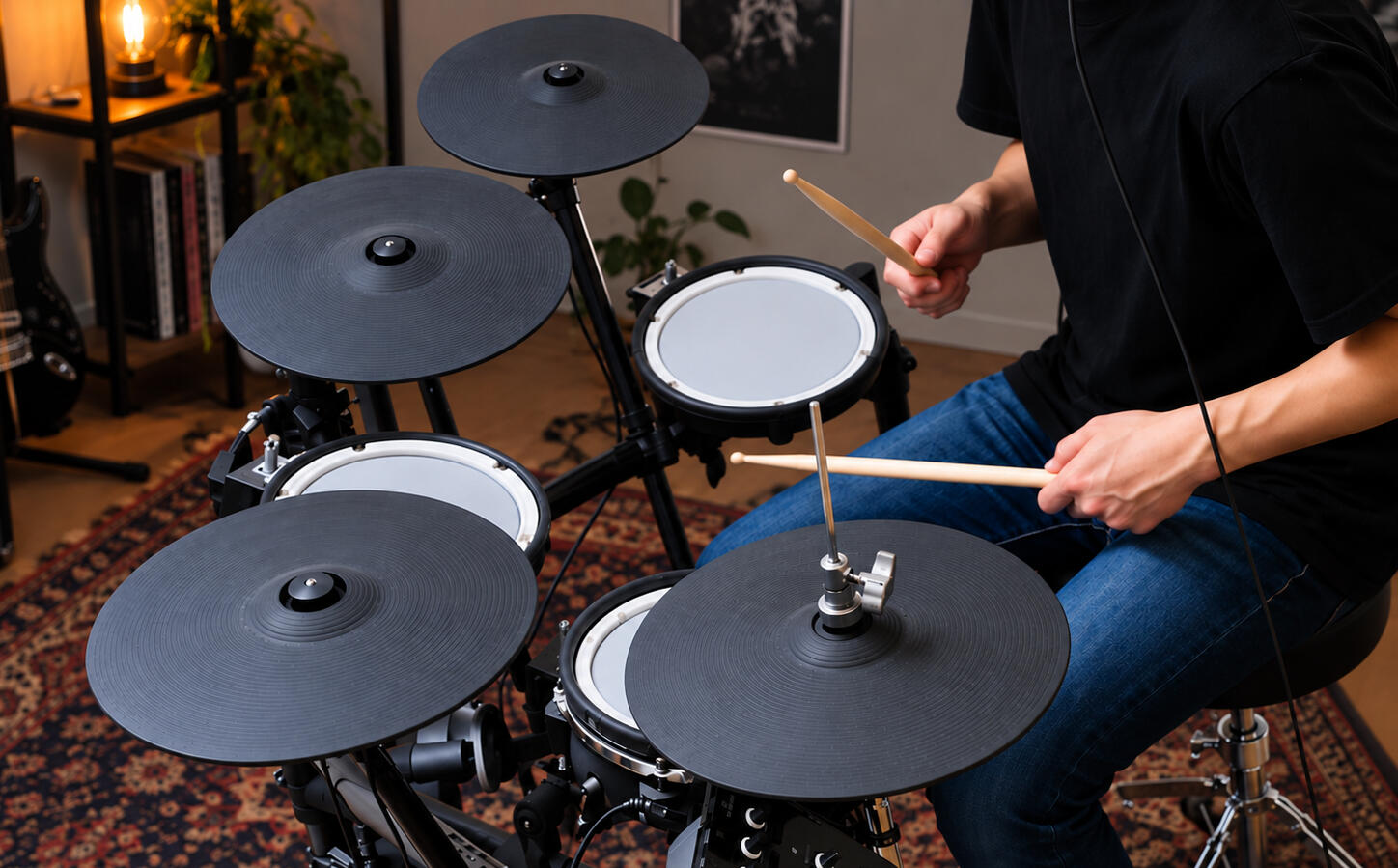
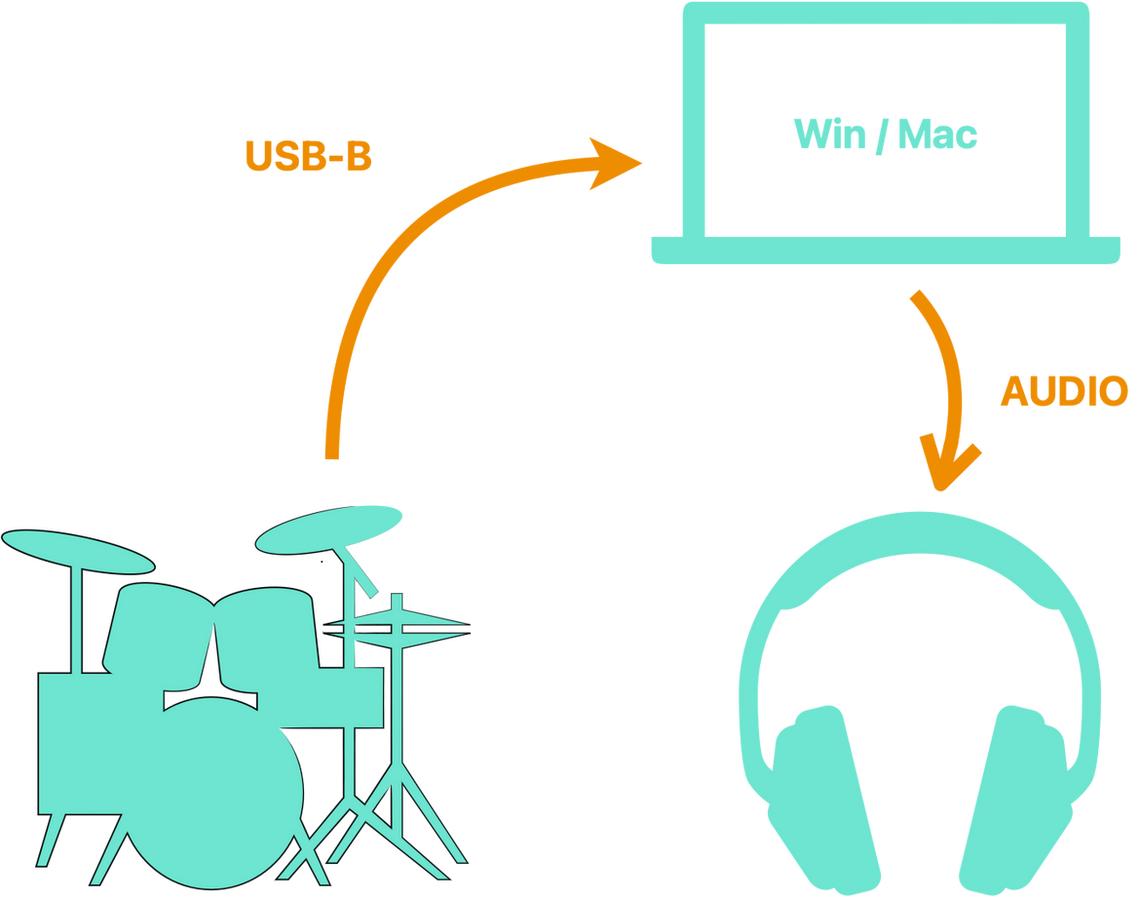
Beat Studio works with any MIDI drum kit or controller. An easy-to-use MIDI mapping wizard lets you assign all 11 pads in seconds — just hit a drum and map it — so your kit is always set up exactly the way you need it.

Step-by-step MIDI mapping wizard

play and Learn

Session Analysis

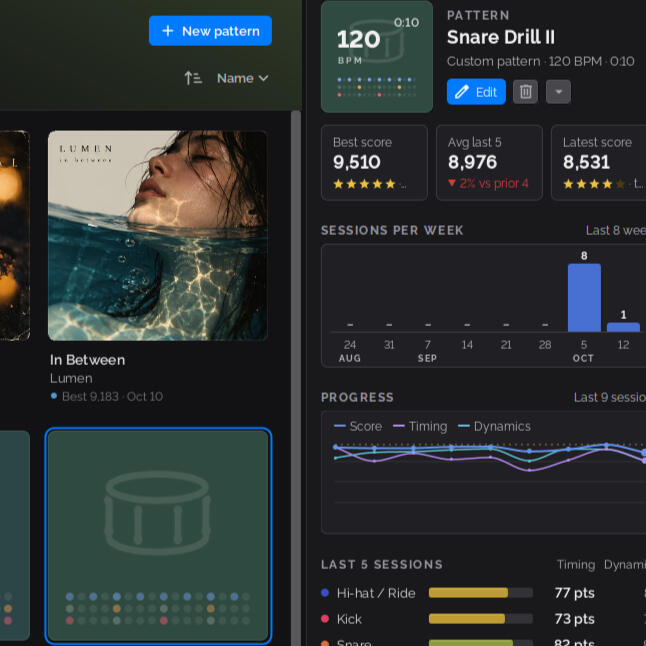
After each practice session, Beat Studio gives you a detailed breakdown of your performance. You can see exactly how your timing drifted over the course of the session, how consistent your dynamics were, and which drums you played most accurately. Whether you're working on tightening your kick timing or evening out your hi-hat velocity, the stats help you understand your strengths and spot areas that need more practice. Over time, tracking these breakdowns gives you a clear picture of your progress as a drummer.

Detailed analysis of your performance

Time Deviation Per Pad — See how early or late each hit was per drum pad across the pattern.Velocity Deviation Per Pad — See how hard or soft each hit was compared to the target volume.Timing Distribution — How tight and centered is your timing overall?
Shows the spread of your timing errors.
Velocity Distribution — How consistently are you hitting at the right volume? Shows the spread of your velocity errors.Pattern Accuracy — What percentage of the pattern did you actually play vs skip?Hit Accuracy — Were your hits correct, or were they extra/mistimed?Timing Consistency — How repeatable is your timing on each pad, scored 0–100%.Velocity Consistency — How repeatable are your dynamics on each pad, scored 0–100%.Score Breakdown — Your total score broken down by hits, timing, velocity, and stamina.Session Summary — Personalized tips highlighting your strengths, weak spots, and trends.

Version Details

Beat Studio is currently in BETA development. This is an early preview version, not a finished product. Expect frequent updates, new features, and potential changes as development progresses. Your feedback helps shape the product.

FREE
Free version that includes limited features.

CORE
Paid version that includes basic features for versatile practice.

PRO
Paid version containing all features.


Payment is made through a monthly Patreon subscription. Downloaded PRO and CORE version will always work even without an active Patreon subscription if you decide to cancel the subscription. Subscription acts as your ongoing warranty for Beat Studio. As a subscriber, you're entitled to receive bug fixes and can request new features to be added to the application.


FeatureFREECOREPROInfo
SubscriptionAll downloaded versions will always work even without an active Patreon subscription. Subscription is only needed for downloading new versions.
SupportFree3,90 € / Month7,90 € / MonthPRO/CORE with Patreon or Gumroad membership, Downloaded PRO/CORE version will always work even without an active Patreon subscription
Universal MIDI support with custom mappingWorks with all MIDI devices (E-kits, pads, keyboard, Alesis, Roland, Yamaha, etc.)
Super low latencyClose to 1 ms
Professional default drum kitCRASH 2 and CHINA symbals only in CORE & PRO
Custom drum kits*.wav supported
Multi-velocity samples1 - 6 samples / pad on custom kits
Custom SettingsDrum lane order, Only in PRO: Training score timing and velocity windows
Pattern creationTemplatesTemplates + CustomTemplates + CustomCustom: Note lenght, time signature, measures. PRO supports of off-beat notes.
Time signatures4/4CustomCustom 
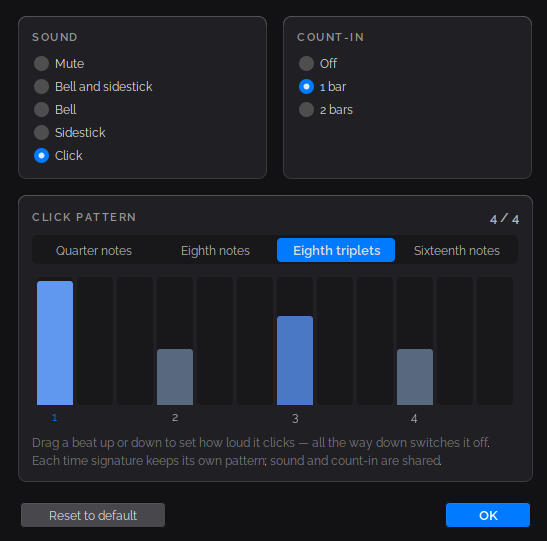
Metronome 
Pad sensitivity 
Pad volume 
Pad panning 
Backing audioPlay along with your favorite song! (MP3, WAV, OGG, M4A, FLAC)
Extended pattern toolsTime signature change, pattern lenght trim and extend, Only in PRO: Custom playback start position, Stretch tool
PRO playback toolsCustom playback start position
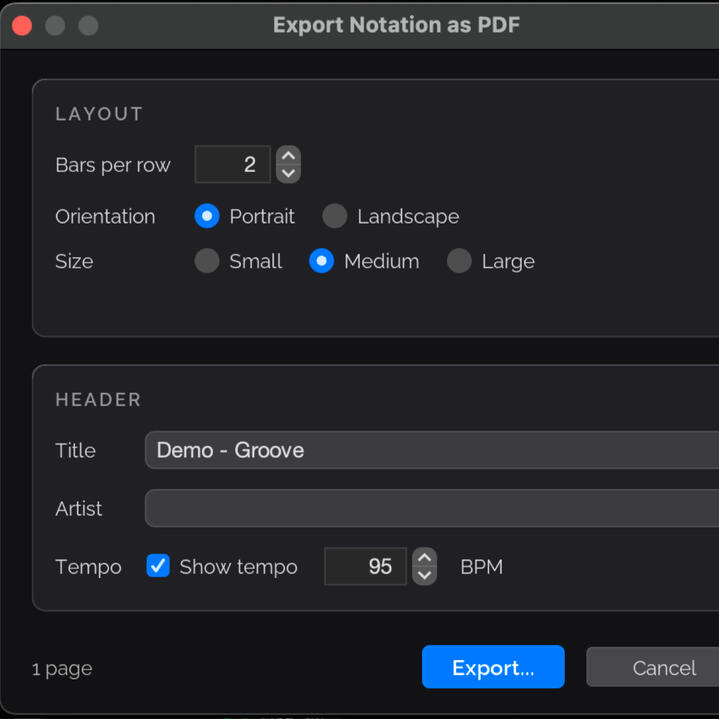
MIDI file Import & Export 
Reverb 
FlangerJust for fun :)
Live feedback & scoring 
Play Timing Graph 
Play Graph 
Average Hit Scrore Graph 
Audio record 
Session analytics 
SystemWindows + MacWindows + MacWindows + Mac 

Use your voice

Your Feedback Matters

I'd love to hear what you think about the app! Whether you've found bugs, have feature requests, or just want to share your experience, your input helps make Beat Studio better for everyone.

© Beat Studio. All rights reserved.

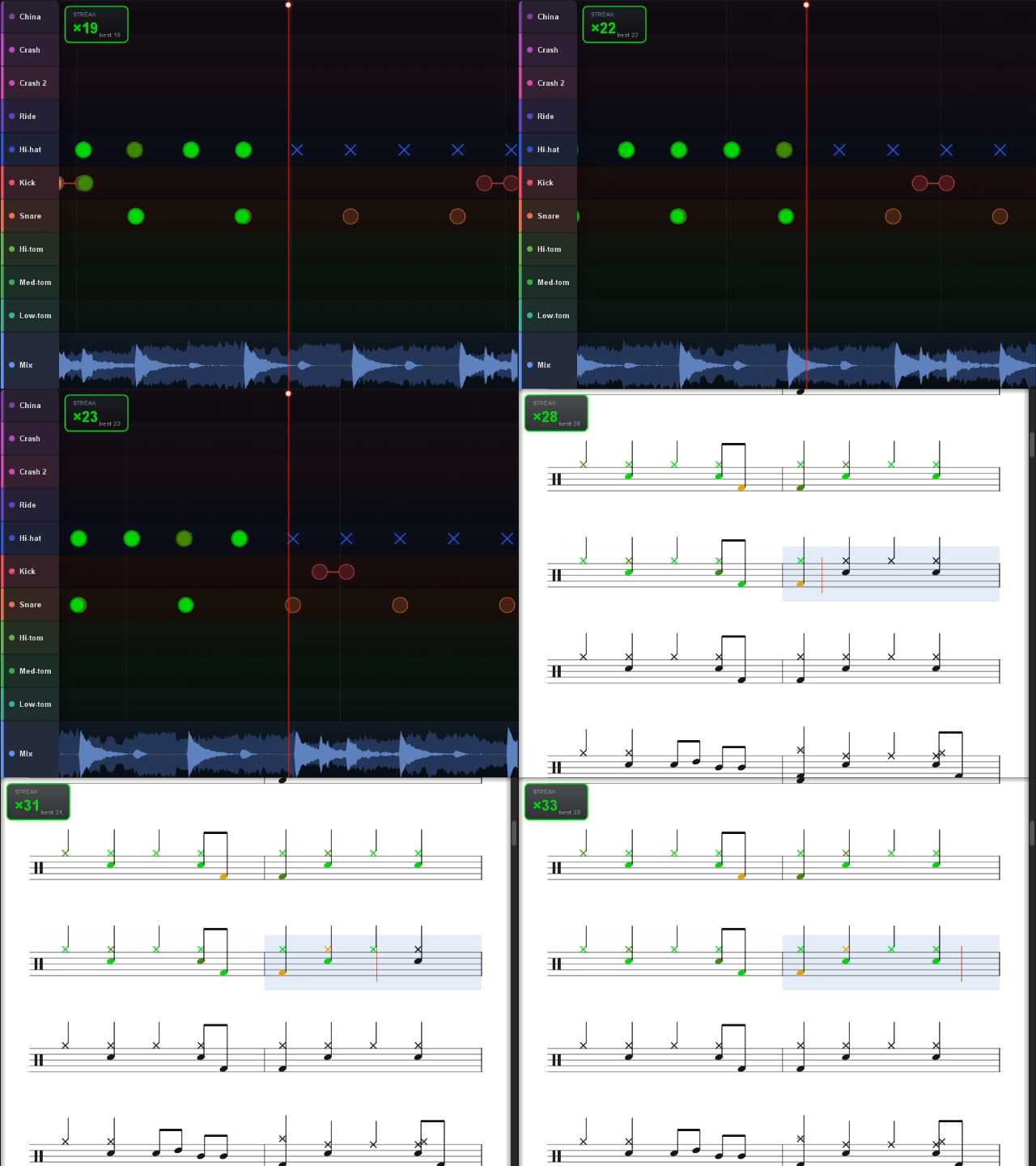
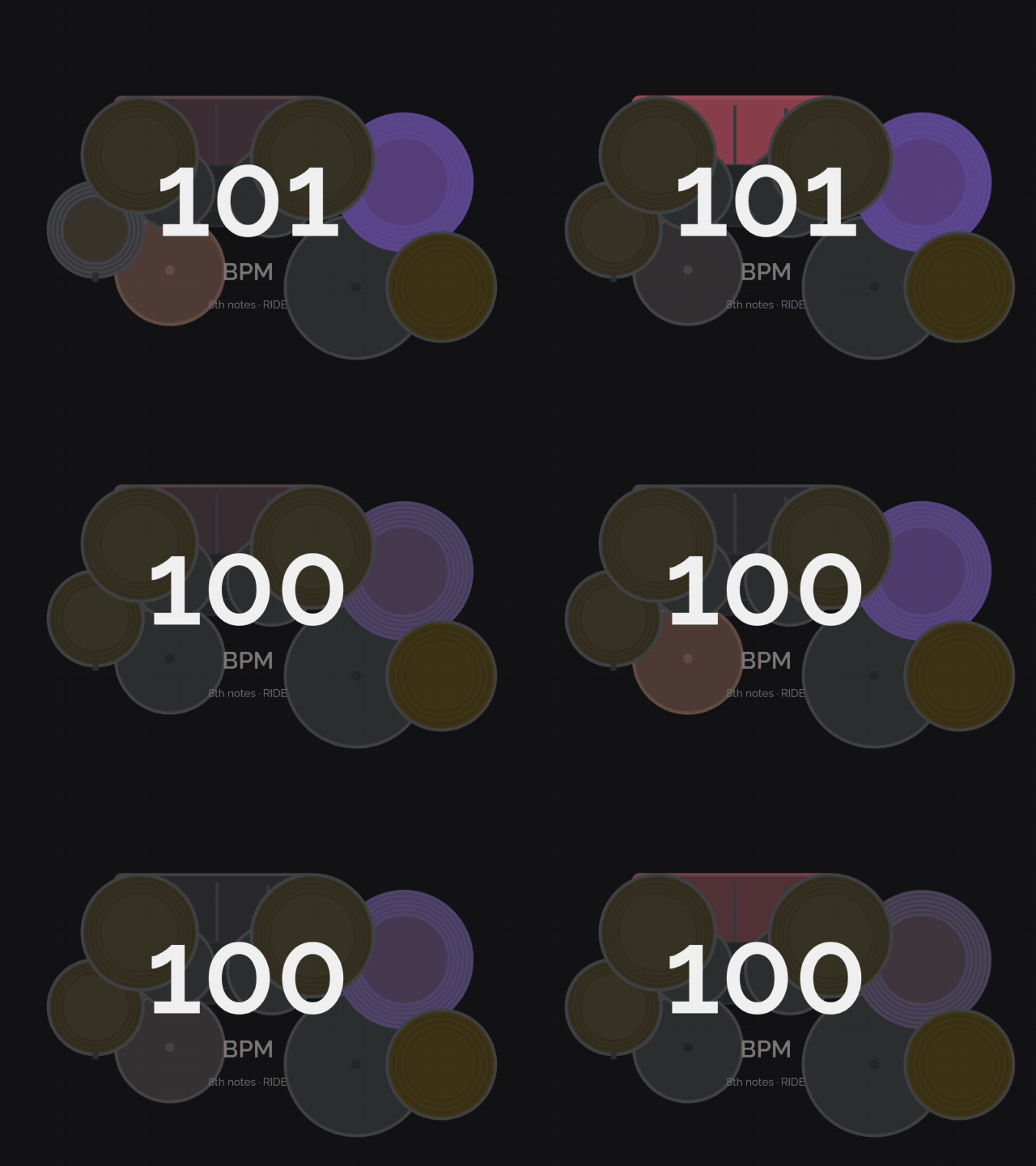
Real-Time Visual Feedback

See exactly how you're doing with every hit. Beat Studio's trainer tiles provide instant visual feedback that shows your timing precision, velocity accuracy, and overall performance as you play.Instant Hit Visualization
Every drum hit appears on the practice grid the moment you play it. The scrolling timeline keeps the playback line centered, so you always see your hits in context with the pattern you're practicing. Color-coded feedback:
Green - Perfect timing and velocity
Drum lane color - Good hit within acceptable range
Red - Missed timing or rejected hit
Timing Precision Display
Hits appear at their exact timing position on the grid. Early hits show before the target beat, late hits show after. This sub-beat precision helps you identify and correct timing tendencies you might not even notice by ear.
Volume-Responsive Visualization
Hit markers scale based on how hard you play. Softer hits appear smaller, harder hits appear larger. This gives you immediate visual confirmation that your dynamics match the pattern.

Live Performance Metrics
In PRO versio the timing deviation display shows your recent accuracy for each drum. Track whether you're consistently early or late on kick, snare, or hi-hat, and adjust your playing in real-time.

Audio Performance

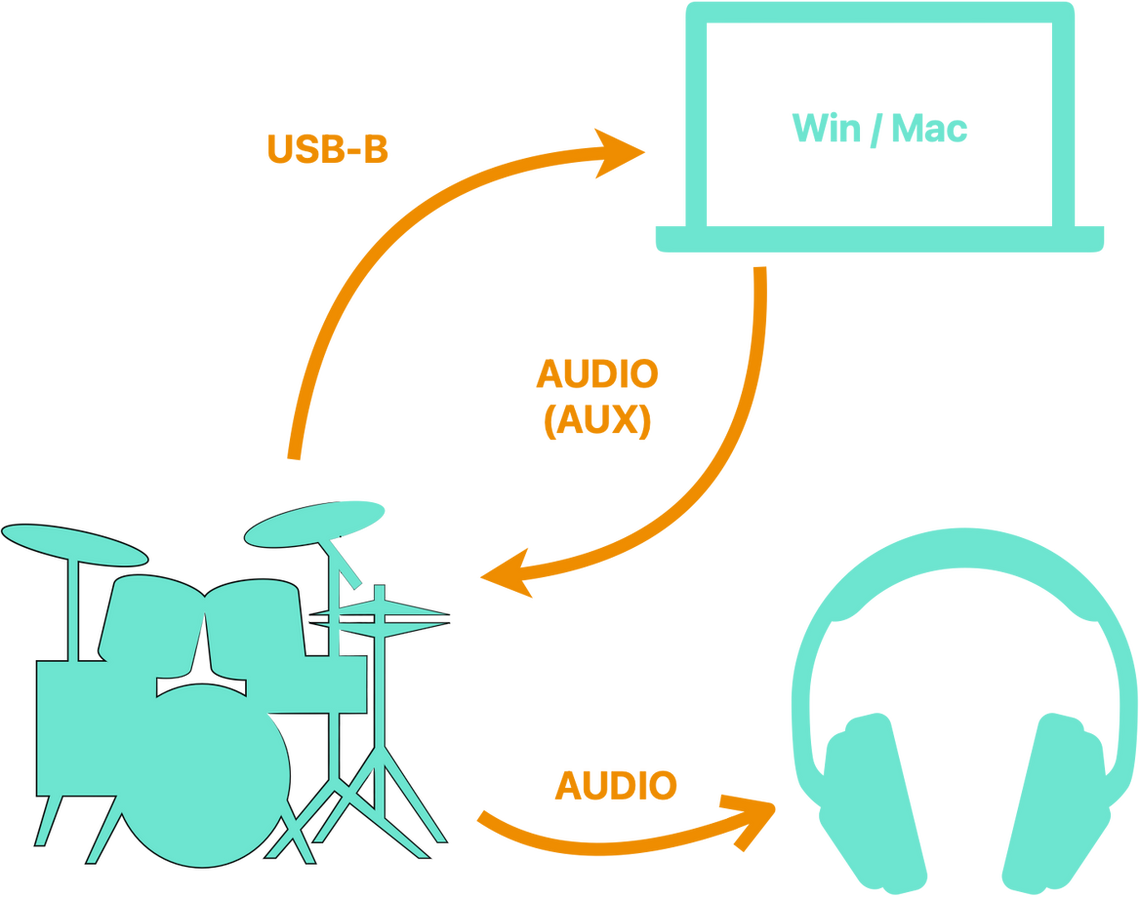
Beat Studio is designed for real-time drum practice, where every millisecond counts. When you hit a drum pad, you need to hear the sound immediately — any noticeable delay makes practice frustrating and affects your timing development.

How It Works on Windows
On Windows, audio normally passes through a system mixer that combines sounds from all running applications. While convenient for everyday use, this mixer introduces a delay (called "latency") of around 30-50 milliseconds. That might not sound like much, but for a drummer, it's enough to throw off your timing and make the experience feel unresponsive.
To solve this, Beat Studio uses a feature called "exclusive mode" through Windows' WASAPI audio system. This gives the application direct access to your audio hardware, bypassing the system mixer entirely. The result is dramatically lower latency — typically around 3-15 milliseconds — which feels instant and natural when playing.The trade-off is that while Beat Studio is running in exclusive mode, other applications cannot play audio at the same time. Your music player, browser videos, and system sounds will be silent until you close Beat Studio. For serious practice sessions, this focused environment can actually be a benefit, helping you concentrate without distractions.How It Works on macOS
Mac computers take a different approach to audio. Apple designed their Core Audio system from the ground up with professional music production in mind. The system audio mixer is highly optimized and adds virtually no perceptible delay, even when multiple applications are playing sound simultaneously.
This means Beat Studio on macOS achieves the same fast, responsive audio performance as Windows exclusive mode — but without needing to lock out other applications. You can listen to a backing track in your music player or have a tutorial video playing, all while practicing with Beat Studio.Both platforms deliver the quick, accurate response you need for effective drum practice. The only difference is that Mac users have more flexibility for multitasking with audio.Latency Compensation
Beyond raw audio speed, Beat Studio includes automatic latency compensation for hit scoring. The application measures your system's audio delay and adjusts the timing calculations accordingly. This ensures your hits are scored fairly and accurately, regardless of your specific audio setup or hardware.

Custom kits

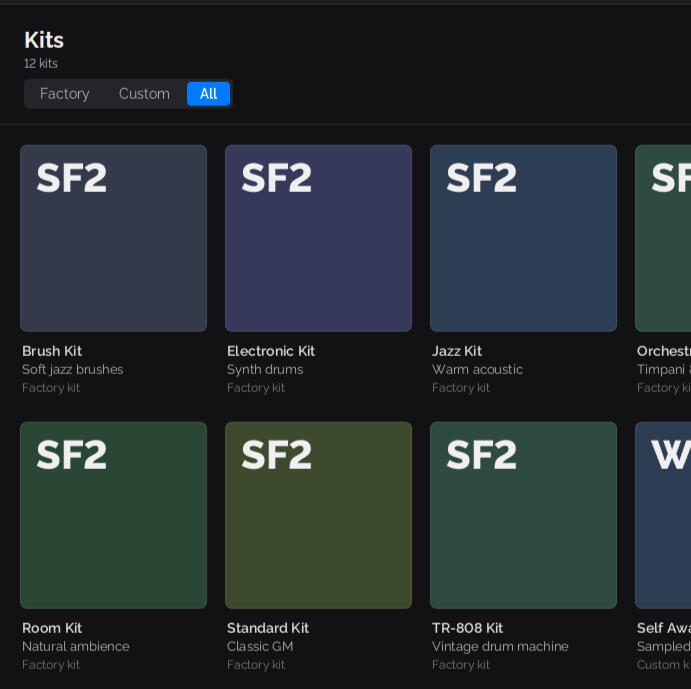
Beat Studio supports custom drum kits, allowing you to practice with the exact sounds you prefer. Whether you want a punchy rock kit, a soft jazz set, or electronic drums, you can load your own samples and create a personalized practice environment.Multi-Velocity Sampling
Real drums don't sound the same at every volume. A soft tap on a snare produces a completely different tone than a hard hit — not just quieter, but with different character and resonance. Beat Studio captures this natural behavior through multi-velocity sampling. Each drum in a kit can have multiple audio samples assigned to different velocity (hit strength) ranges. When you hit a pad softly, Beat Studio plays the gentle sample. Hit it harder, and you hear the more aggressive version.
This creates a realistic, expressive playing experience that responds to your dynamics just like an acoustic kit would. The default MuldjordKit included with Beat Studio features up to 16 velocity layers per drum, providing smooth transitions across the full dynamic range. You'll hear subtle ghost notes on the snare, the difference between a light hi-hat tap and a strong accent, and the full power of a hard kick drum hit.Creating Your Own Kits
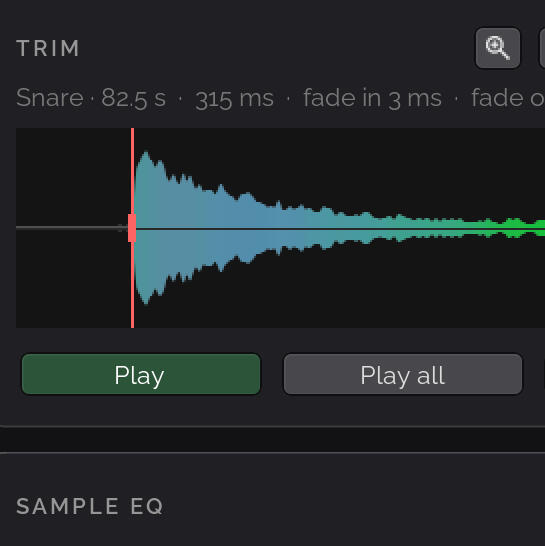
Beat Studio includes a kit builder that lets you create custom drum kits tailored to your preferences. For each drum pad, you choose how many velocity layers you want — anywhere from a single sample up to six different samples per pad. This flexibility means you can have a detailed multi-layer snare while keeping a simple one-sample crash cymbal, matching your needs for each drum.
The process is simple: select a pad, choose how many velocity layers you want for it, then pick a WAV file for each layer. Each pad can have a different number of layers, so you're in complete control of how detailed each drum sound is.

When you're finished, Beat Studio saves your custom kit to its own folder with all your selected samples. Your kit is then available alongside the built-in kits, ready to use whenever you practice. Supported format: WAV files only at this time.

Why Velocity Layers Matter for Practice
Practicing with velocity-responsive samples helps develop proper stick control and dynamics. Many drummers focus only on timing, but professional playing requires mastering volume control as well. With multi-velocity kits, you can hear the difference between your ghost notes and accents, training your ears and hands together. This is especially valuable for styles like jazz, funk, and Latin music where dynamic expression is essential to the groove. Even in rock and metal, the difference between a controlled verse and an explosive chorus often comes down to how hard you're hitting.

Mixer Controls

Beat Studio includes a full mixer panel that gives you precise control over how each drum sounds. Every drum has its own channel with three essential controls: Volume, Pan, and Sensitivity. These let you shape your practice sound to match your preferences and playing style.Volume
The volume control sets how loud each drum is in the overall mix. This is useful for balancing your kit so that no single drum overpowers the others. For example, you might want to turn down the crash cymbal so it doesn't mask the subtleties of your snare work, or boost the kick drum to feel the pulse of the beat more clearly.
Volume adjustments are independent of how hard you hit — they scale the final output level after velocity is applied. This means a soft hit stays soft and a hard hit stays loud, just at the level you've chosen for that drum.

Volume Meters
Each mixer channel includes a visual volume meter that shows real-time audio levels as you play. The meters use color coding to help you instantly see what's happening: Green meters show your own playing — the drums you're hitting on your MIDI kit. Blue meters show the pattern playback — the guide track that demonstrates what to play. This makes it easy to see at a glance whether you're playing along with the pattern or if one is overpowering the other. If you see mostly blue and very little green, you might want to hit harder or turn up your sensitivity. If the green is drowning out the blue, consider adjusting the balance so you can still follow the guide.
Pan
Pan controls the left-right positioning of each drum in the stereo field. This creates a more realistic and immersive practice experience by placing drums where they would naturally sit on a real kit. For a right-handed drummer's perspective, you might pan the hi-hat slightly left, the floor tom to the right, and keep the kick and snare centered. This spatial separation also makes it easier to hear individual drums clearly, especially when practicing complex patterns with multiple elements playing simultaneously.

Sensitivity
Sensitivity adjusts how Beat Studio responds to your playing dynamics. This control scales the incoming velocity (hit strength) from your MIDI drum kit before it's used to select samples and determine volume. If your drum kit sends very strong signals even with light hits, lowering the sensitivity prevents everything from sounding like you're hitting at full force. Conversely, if your kit has a weak output or you prefer a lighter touch, increasing sensitivity ensures your softer hits still register with appropriate volume.
This is particularly helpful when switching between different MIDI drum kits or when your playing style doesn't quite match your hardware's default response curve. Fine-tuning sensitivity for each pad lets you create a consistent, natural feel across your entire kit.

Click, Pattern and Drums Channels

In addition to your own drum sounds, the mixer includes two separate guide channels: Click and Pattern.Click channel
Click Channel controls the metronome — the steady beat that helps you keep time. You can adjust its volume to be as prominent or subtle as you need, or mute it entirely once you're comfortable with the tempo.

Pattern channel
Pattern Channel controls the drum guide track that shows you what to play. This is the sound of the actual pattern playing back, separate from both your own hits and the metronome click. Having these as independent channels gives you full control over your practice mix.
Muting Your Own Playing
Sometimes you just want to listen to a pattern without any distractions — to study the groove, understand the timing, or get the feel of a new beat before attempting it yourself. Beat Studio lets you mute your own drum sounds entirely while keeping the pattern and click playing.
This is perfect for the learning phase when you're first getting to know a pattern. You can listen to exactly how it should sound, tap along silently on your pads to build muscle memory, and focus purely on understanding the rhythm without your own hits interfering. Once you've internalized the pattern, unmute your drums and start practicing for real.

TipsYou can pan the pattern to one side and your own playing to the other, making it easy to distinguish between the guide and your actual hits. This is especially helpful when learning a new pattern, as you can clearly hear whether you're hitting in sync with the guide or slightly off.You can also mute or lower the pattern volume to challenge yourself — start with the guide loud while learning, then gradually reduce it as you memorize the pattern. The click can stay on for timing reference even when the pattern is muted, or you can turn both off to practice completely on your own.